Nutrition Studio
Nutrition Coaching Software Built for Personal Trainers
Build flexible nutrition plans, create meals, manage foods, monitor macros and nutrition targets, and account for client dietary requirements — all from within Strivonex Coach. AI assists the coach. It does not replace the coach.
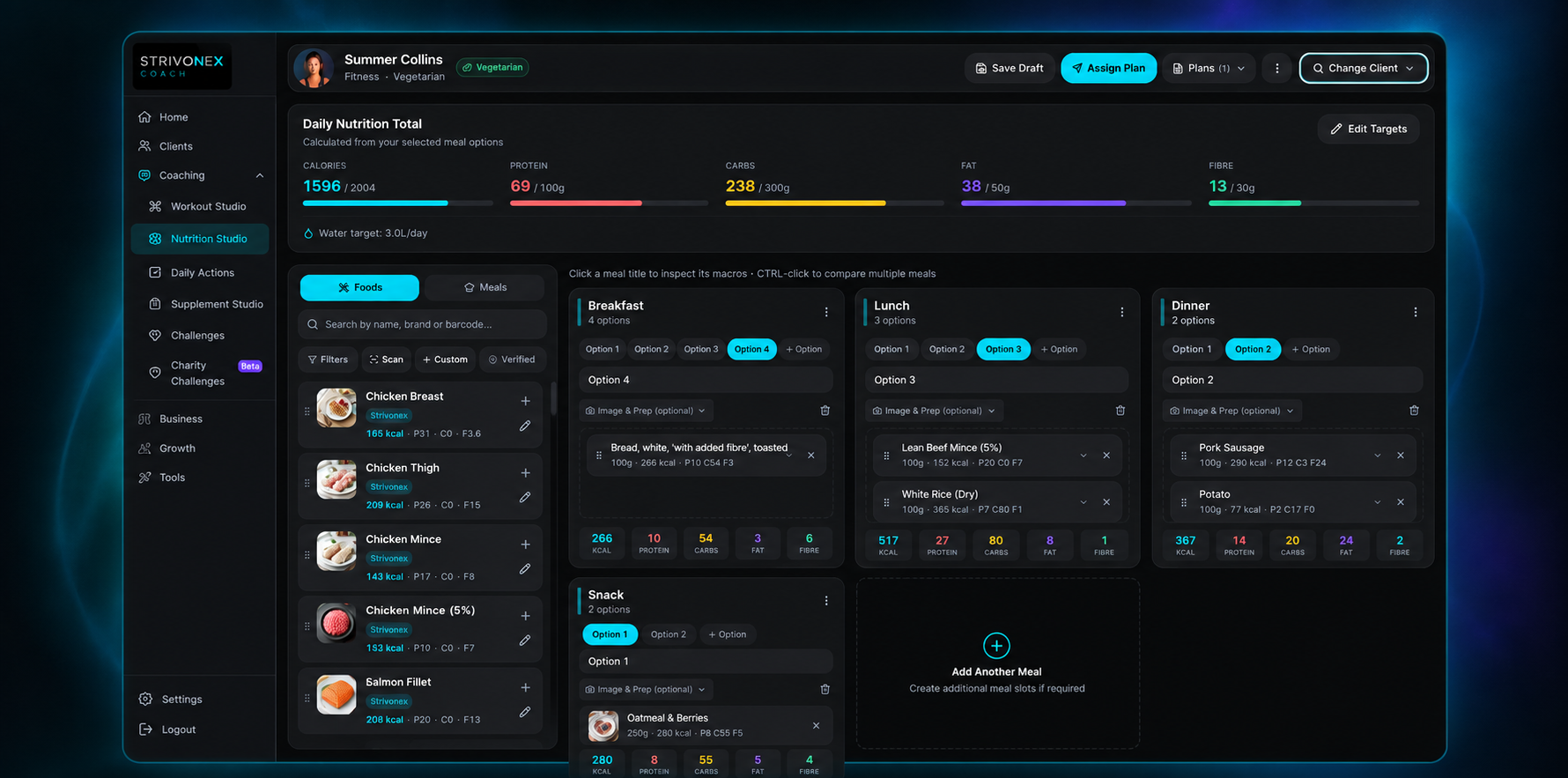
Build Nutrition Plans Around Real Clients
Flexible plans, not rigid single-menu diets
Open a client, build their plan meal by meal, and see the nutrition totals update as you work. Structure the day around Breakfast, Lunch, Dinner and Snacks — or add Pre-workout and Post-workout slots where needed. Schedule different meals for training days versus rest days, or plan the full week by weekday.
Day-by-day planning — every day, training/rest, or by weekday
Breakfast, Lunch, Dinner, Snack, Pre- and Post-workout slots
Client preview — see what the client will see before you assign
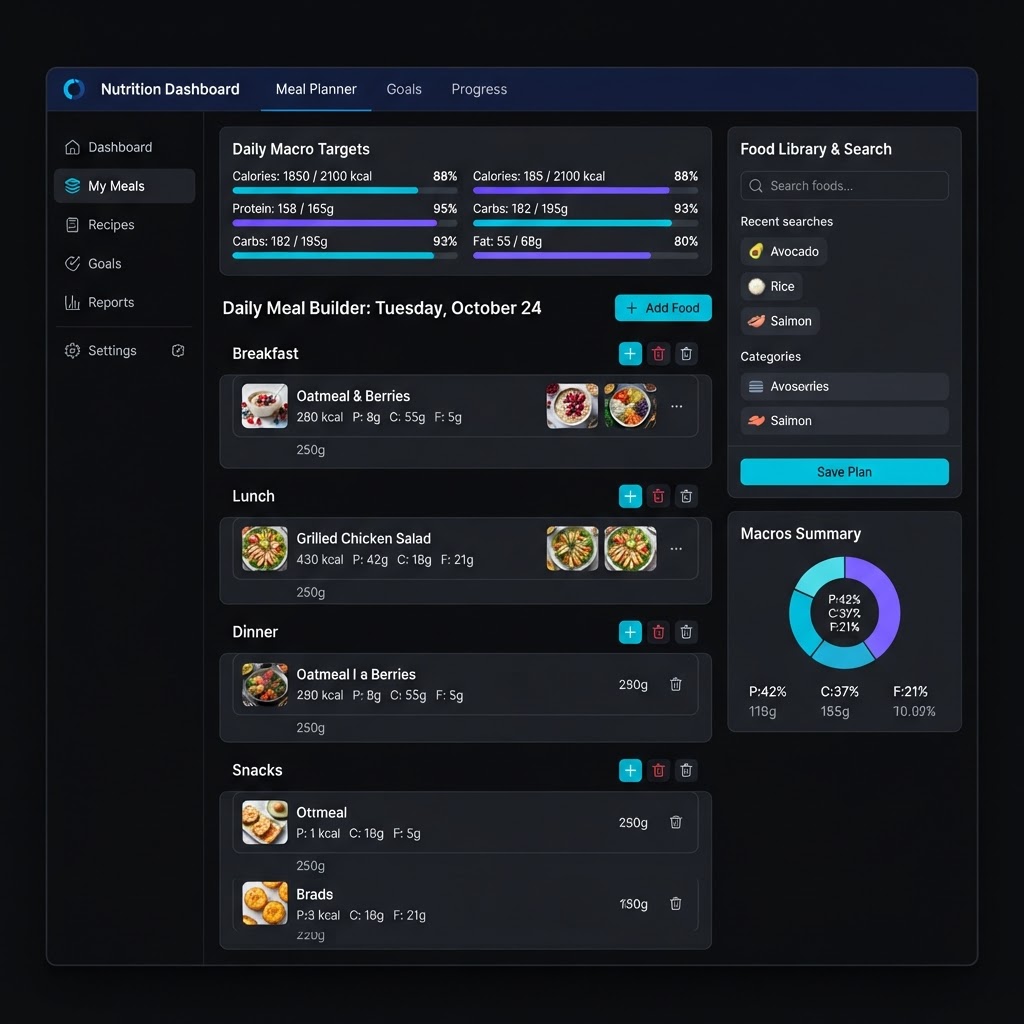
Food Data You Can Trust
Built on authoritative government food data
The core Strivonex food library is built from the UK government's CoFID dataset — McCance & Widdowson's Composition of Foods Integrated Dataset (2021) — rather than arbitrary AI-generated nutritional values. That means the calories, protein, carbs, fat and fibre your plans are built on come from an authoritative, peer-reviewed source.
UK Government CoFID data
Authoritative sourcePeer-reviewed nutritional composition data published by the UK Government. Feeds the Strivonex Core Library as the authoritative source for calories, protein, carbs, fat and fibre.
Strivonex Core Library
Verified food records sourced from the CoFID dataset. The original nutritional values stay intact and authoritative — coaches build plans on a trusted data foundation.
Coach-Edited Versions
Personal copy
When a coach edits a food, a personal version is created. The original Strivonex record stays unchanged and remains available to restore at any time.
Coach-Created Foods
Coach-entered
Coaches can add their own custom foods with full nutritional information. These are marked as coach-created and are not claimed to be government verified.
Custom foods, coach edits and barcode-registered products are not independently verified by Strivonex or CoFID. Coaches are responsible for ensuring custom food values are accurate before using them in client plans.
A Food Library Coaches Can Make Their Own
Search, scan, edit and create — without destroying the originals
The food library is searchable by name, brand and category. Filter by dietary tags like high-protein, vegan, gluten-free or low-carb. Scan a product barcode to look it up. And when a food needs adapting for your own use, editing it creates your own version — the original stays unchanged.
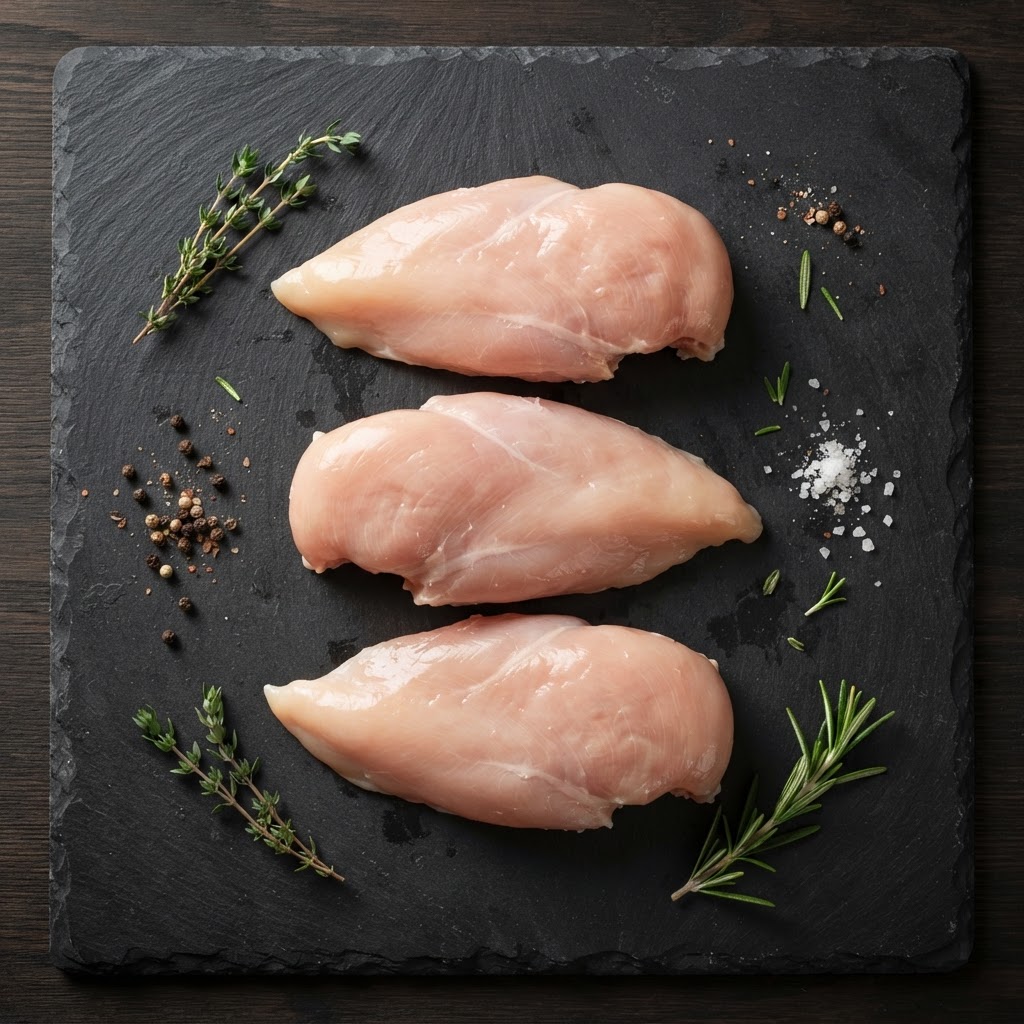
Chicken Breast
CoFID165 kcal · P31 C0 F3.6g

Greek Yogurt
CoFID59 kcal · P10 C3.6 F0.4g

Porridge Oats
CoFID389 kcal · P17 C66 F7g
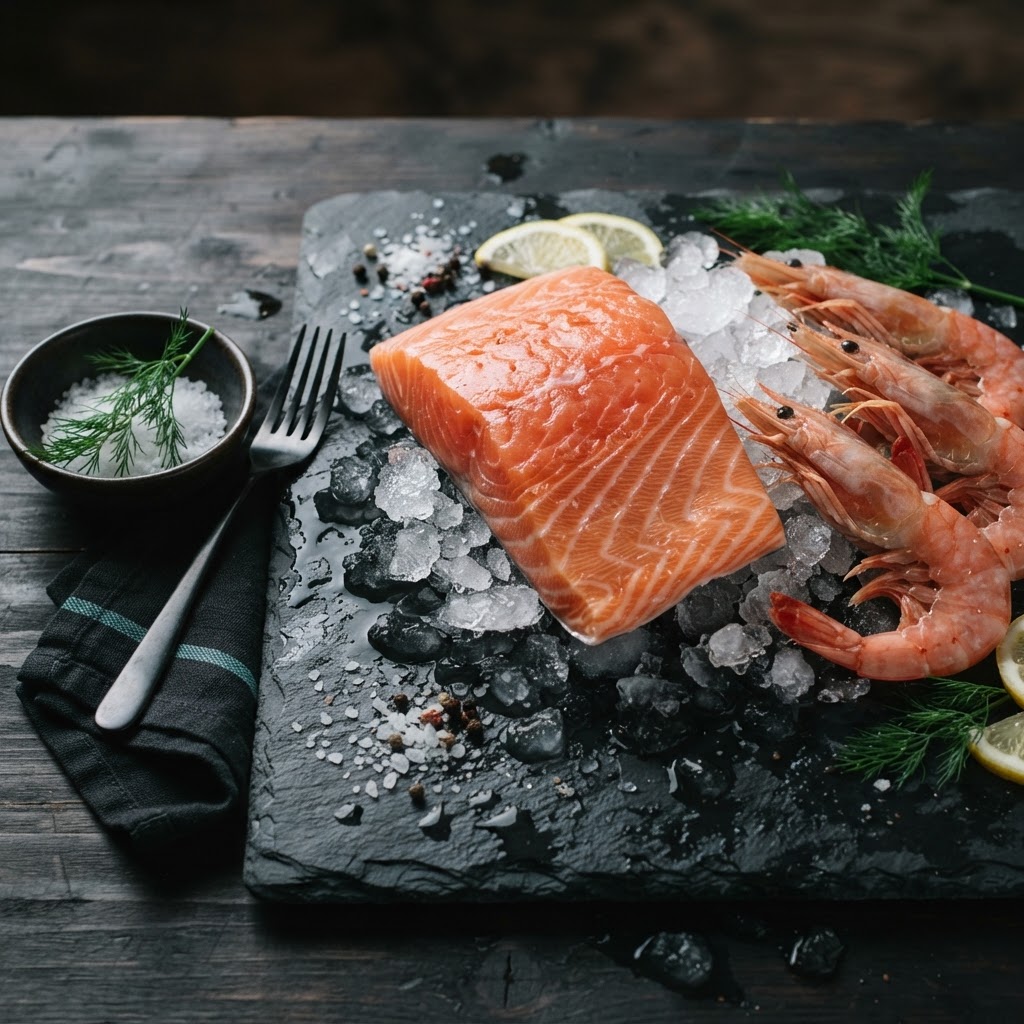
Salmon Fillet
CoFID208 kcal · P20 C0 F13g
Edit Foods Without Destroying the Original
When a coach edits a verified food, the changes create a personal coach version. The original Strivonex food record stays unchanged and remains available to restore at any time.
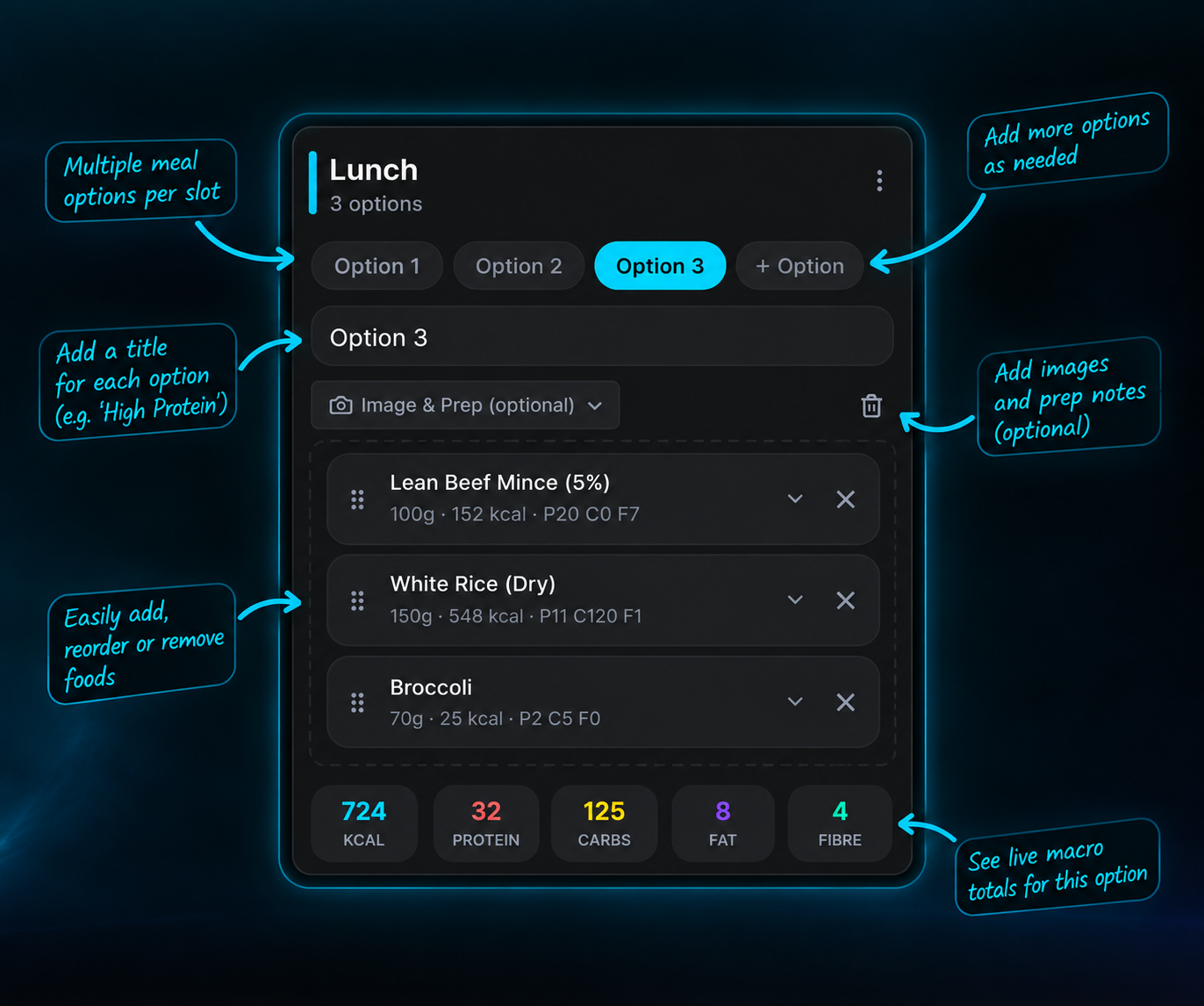
Build Meals Visually
Multiple options, not one rigid menu
Instead of telling a client they must eat one exact meal, provide alternatives while keeping the overall plan structured. Add multiple options to any meal slot and control how the client chooses — freely, from a recommended option, a locked option, rotating by day, or assigned to specific days.
Recommend one option — guide without forcing
Lock one option — full control when needed
Client preview — see exactly what the client sees
See the Nutrition Numbers While You Build
Live totals against the client's targets
As you add foods and adjust portions, the daily nutrition totals update in real time. See calories, protein, carbohydrates, fat and fibre against the client's targets — with a water target shown alongside. You'll know exactly how the plan stacks up before you assign it.
Daily Nutrition Total
Summer Collins — Fat Loss Phase 1
Reusable Meals Instead of Rebuilding Everything
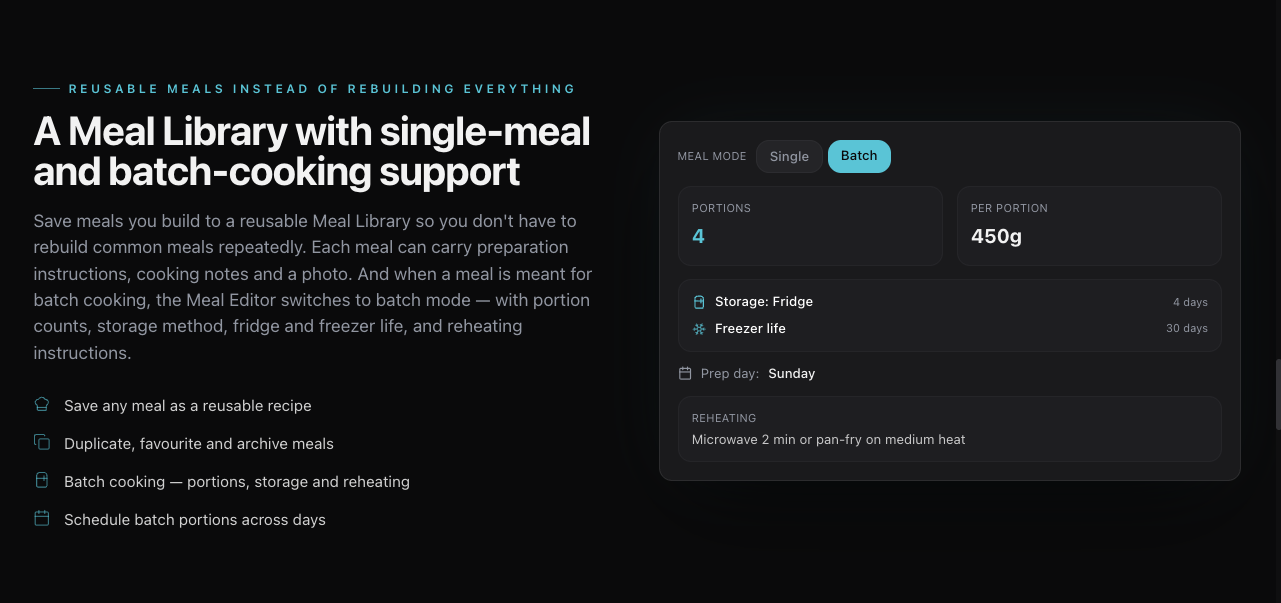
A Meal Library with single-meal and batch-cooking support
Build a meal once and save it to the Meal Library, then drop it into any client's plan without rebuilding it from scratch each time. Each meal carries its image, name, category, tags, searchable weighted ingredients, automatically calculated nutrition and preparation instructions — with AI assistance available to help write the prep steps. Create a meal as either a single meal or a batch-cook meal: when Batch Cook is selected, the batch settings become available for portions, storage method, fridge and freezer life, prep day and reheating instructions.
Save any meal as a reusable recipe
Duplicate, favourite and archive meals
Batch cooking — portions, storage and reheating
Schedule batch portions across days
Built Around the Individual Client
Dietary information, targets and hydration — per client
Nutrition Studio uses the dietary information recorded on each client's profile. When you add a food that conflicts with the client's dietary requirements or allergies, the studio warns you. Edit nutrition targets per client, set a water target, and provide flexible meal options — all built around the individual.
Dietary Requirements — Summer Collins
Potential conflict: "Chicken Breast" does not match the client's vegetarian dietary requirement.
AI-Assisted Meal Planning
AI to speed you up — not to replace you
The AI Meal Builder generates a starting nutrition plan from a text prompt. Describe the client's goal, calorie target, protein target and any preferences — and the AI returns a structured plan with meals, foods and portions. Open it in the Meal Builder to review, edit and refine before assigning.
AI assists the coach. It does not replace the coach's professional judgement and does not autonomously make nutrition decisions.
AI Meal Builder
"Create a 2200 calorie fat loss plan with 180g protein. Client dislikes fish and trains at 6pm."
Macro Calculator
Strivonex Coach Nutrition Engine
Client Profile
Auto-populated from onboarding data
Summer Collins
Fat Loss
Age
30 yrs
Sex
Female
Height
170 cm
Goal
Fat Loss
Session Length
60 min
Per session
Moderate exercise 3-5 days/week
Dietary Preferences
Tailor the AI guidance — does not change calculations
Maintenance
Maintain current weight & composition
122g
Protein
341g
Carbs
68g
Fat
34g
Fibre
Fat Loss
Recommended~20% deficit for sustainable fat loss
150g
Protein
205g
Carbs
61g
Fat
28g
Fibre
Lean Muscle Gain
~10% surplus to build lean mass
136g
Protein
388g
Carbs
68g
Fat
38g
Fibre
Performance
Fuel training & recovery
136g
Protein
376g
Carbs
68g
Fat
37g
Fibre
Strivonex Coach Summary
Evidence-based coaching interpretation
Summer's TDEE of 2,462 kcal reflects a solid training base. For fat loss, targeting 1,970 kcal with 150g protein and 61g fat creates a sustainable ~20% deficit. Her 5 weekly sessions are well-supported at this intake. As a vegetarian, prioritise legumes, dairy, eggs and plant-based protein to hit 150g protein consistently. Monitor weekly weight trend and energy levels — adjust by 100-150 kcal if progress stalls after 2-3 weeks.
Macro Calculator
Evidence-based estimates from the client's profile
The Macro Calculator uses client profile information and adjustable coaching inputs to calculate estimates including BMR, TDEE and nutrition targets. Compare recommendations for maintenance, fat loss, lean muscle gain and performance side by side, then review and apply a target directly to the client's Nutrition Plan.
Uses the client's profile data
Adjust weight, training and activity assumptions
Compare multiple goal targets
Apply recommendations to the Nutrition Plan
Strivonex Coach Summary provides additional coaching context
These are evidence-based estimates, not medical advice. The coach remains responsible for reviewing and approving all recommendations before applying them.
Frequently Asked Questions
What is nutrition coaching software for personal trainers?
Can personal trainers create meal plans in Strivonex Coach?
Can coaches track calories and macros when building nutrition plans?
Can coaches create their own foods and meals?
Does Strivonex Coach support barcode scanning?
Can clients have multiple meal options?
Where does Strivonex Coach get its food nutrition data?
Does Strivonex Coach have an AI meal planner?
Can coaches account for dietary requirements?
Build nutrition plans with real coaching depth
Start a Strivonex Coach trial to build flexible client nutrition plans with verified food data, live macros, dietary safeguards and AI-assisted meal planning — or explore the platform to see everything included.